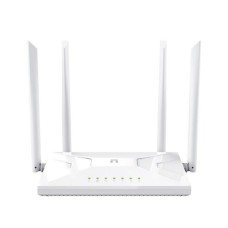
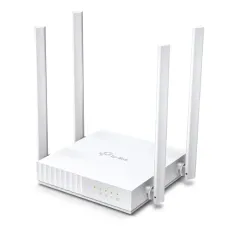
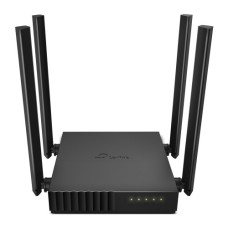
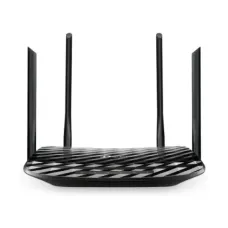
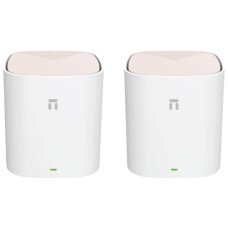
Fast Dual-Band and Wi-Fi 6 Routers for Stable Internet in Every Room
Is your Wi-Fi slow, dropping or weak in some rooms? The right router fixes most home and office internet problems. This page shows the latest router price in Bangladesh in one place. Compare Wi-Fi routers by speed, band, coverage and features. Then pick the one that fits your internet plan and space.
Every router we sell is genuine and authentic. Our prices stay updated, and stock status is live. No guesswork.
Why Your Router Matters
Your internet plan sets the maximum speed. Your router decides how much of that speed reaches your phones, laptops and TVs.
An old or basic router struggles with many devices. Video calls freeze, games lag and streams buffer. A modern dual-band or Wi-Fi 6 router handles busy homes far better.
- Faster Wi-Fi speeds on phones and laptops
- Stronger coverage across rooms and floors
- Stable connection for many devices at once
- Better security with modern encryption
Most Bangladeshi homes now have ten or more connected devices. A good router keeps them all running smoothly.
Router Brands We Offer
TP-Link Routers
TP-Link is one of the most popular router brands in Bangladesh. The Archer C24, C50 and C54 offer reliable dual-band Wi-Fi at friendly prices. Browse all TP-Link routers.
Netis Routers
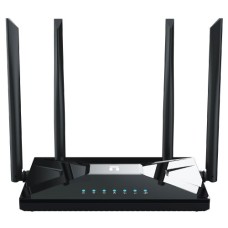
Netis offers strong value across many router types. The NC21, NC63 and NC65 are dual-band AC1200 routers. The NX10 brings Wi-Fi 6, and the Neme X18S is a whole-home mesh system. The MW5360 is a 4G LTE router. Explore Netis routers.
Types of Routers Explained
Dual-Band Wi-Fi 5 Routers
Dual-band routers use 2.4GHz for range and 5GHz for speed. AC750 and AC1200 models suit most homes and small offices.
Wi-Fi 6 Routers
Wi-Fi 6 (AX) routers handle many devices more efficiently. They reduce lag and improve speed in busy homes. The Netis NX10 AX1500 is a smart choice.
Mesh Wi-Fi Systems
Mesh systems use two or more units that work as one network. They remove dead zones in large homes and multi-floor buildings. The Netis Neme X18S AX1800 is a whole-home mesh system.
4G LTE Routers
4G routers use a SIM card for internet. They are perfect where broadband is not available, or as backup during line cuts. The Netis MW5360 has detachable 4G antennas.
Router Price in Bangladesh by Type
Router price in BD depends on speed class, Wi-Fi standard, coverage and features. Here is a simple guide.
| Type | Typical Models | Key Strength | Best For |
|---|
| AC750 Dual-Band | TP-Link Archer C24 | Affordable dual-band | Small flats |
| AC1200 Dual-Band | TP-Link Archer C50, C54, Netis NC21, NC63, NC65 | Faster 5GHz Wi-Fi | Most homes and offices |
| Wi-Fi 6 | Netis NX10 AX1500 | Handles many devices | Busy homes, gamers |
| Mesh Wi-Fi 6 | Netis Neme X18S AX1800 | Whole-home coverage | Large homes, duplexes |
| 4G LTE | Netis MW5360 | SIM-based internet | Rural areas, backup |
AC1200 routers give the best value for most users. Wi-Fi 6 and mesh systems cost more but solve bigger problems.
Wi-Fi Standards Explained
| Standard | Also Called | What It Means |
|---|
| Wi-Fi 4 | 802.11n | Older, slower, mostly 2.4GHz |
| Wi-Fi 5 | 802.11ac | Dual-band with fast 5GHz |
| Wi-Fi 6 | 802.11ax | Faster and better with many devices |
Your devices also need to support the same standard to get full benefit. Most new phones and laptops support Wi-Fi 5 or Wi-Fi 6.
2.4GHz vs. 5GHz: Which Band to Use?
| Feature | 2.4GHz | 5GHz |
|---|
| Range | Longer, passes walls better | Shorter range |
| Speed | Slower | Much faster |
| Interference | More crowded | Less crowded |
| Best For | Far rooms, smart devices | Streaming, gaming, video calls |
Connect phones and laptops near the router to 5GHz for speed. Use 2.4GHz for far rooms and smart home devices like cameras and plugs.
Many routers offer band steering. It automatically moves devices to the best band.
Our Router Models Explained
TP-Link Archer C24, C50 and C54
These dual-band routers are reliable everyday choices. The C24 is AC750 for small flats. The C50 and C54 are AC1200 for faster 5GHz Wi-Fi.
Netis NC21, NC63 and NC65
These AC1200 dual-band routers offer good speed and coverage. The NC63 and NC65 add gigabit ports for faster wired connections.
Netis NX10 AX1500
A budget-friendly Wi-Fi 6 router. It handles many devices smoothly and suits gamers and busy families.
Netis Neme X18S AX1800 Mesh
A whole-home mesh Wi-Fi 6 system. Multiple units create seamless coverage across floors without switching networks.
Netis MW5360 4G LTE
A SIM-based router with detachable antennas. Great for rural areas, construction sites and backup internet.
How to Choose the Right Router
Match Your Internet Plan
For plans up to 50 Mbps, a good AC750 or AC1200 router works well. For 100 Mbps and above, choose AC1200 gigabit or Wi-Fi 6.
Gigabit Ports
Gigabit LAN and WAN ports support faster wired speeds. They matter for plans above 100 Mbps.
Coverage Area
A single router covers most flats. Large homes and multi-floor buildings need mesh or extenders.
Number of Devices
Homes with many phones, TVs and cameras benefit from Wi-Fi 6 or mesh systems.
Easy Setup
Most routers offer mobile apps for quick setup and parental controls.
Best Router for Every User
| User Type | Recommended Choice | Why It Fits |
|---|
| Small flat | TP-Link Archer C24 | Affordable dual-band |
| Family home | TP-Link Archer C54 or Netis NC65 | Stable AC1200 coverage |
| Gamers and streamers | Netis NX10 Wi-Fi 6 | Lower lag, many devices |
| Duplex or large house | Netis Neme X18S Mesh | No dead zones |
| No broadband area | Netis MW5360 4G | SIM-based internet |
How to Set Up a New Router
Setting up a router takes only a few minutes. Follow these steps for a smooth start.
- Connect the ISP cable to the router WAN port
- Power on and connect to the default Wi-Fi
- Open the router app or setup page
- Choose your connection type (PPPoE or Dynamic IP) from your ISP
- Set a new Wi-Fi name and strong password
Most ISPs in Bangladesh use PPPoE. Keep your ISP username and password ready before setup.
Routers for Offices and Small Businesses
Offices need stable Wi-Fi for many staff, printers and cameras. A good router keeps work moving without interruptions.
Guest Network
Create a separate guest Wi-Fi for visitors. It keeps office devices and files safer.
Bandwidth Control
Some routers let you limit speed per device. This stops one user from slowing down everyone else.
Wired Backbone
Connect desktops and printers by cable through a switch. Use Wi-Fi mainly for phones and laptops.
Shops, pharmacies and restaurants also benefit from stable Wi-Fi for POS systems and online orders.
Router Placement Tips
- Place the router in a central, open spot
- Keep it high, on a shelf or wall
- Avoid metal cabinets, mirrors and fish tanks
- Keep it away from microwaves and cordless phones
Small changes in placement can improve Wi-Fi a lot. Try different spots before buying extra equipment. Point antennas in different directions too.
Extend and Improve Your Network
Weak signal in far rooms? Add a Wi-Fi range extender.
Need more wired ports for PCs and cameras? Add a network switch.
Run long, reliable wired connections with quality UTP cable.
Find patch cables and connectors in our networking cables section.
Keep Wi-Fi running during load-shedding with a router mini UPS.
Devices That Need Strong Wi-Fi
Smart home cameras need stable Wi-Fi for live view. See our WiFi cameras.
Stream 4K movies smoothly on an Android TV.
Online gaming needs low lag. Pair a fast router with a gaming console.
Work and study smoothly on a modern laptop with Wi-Fi 6.
Router Security Tips
- Change the default admin password
- Use WPA2 or WPA3 Wi-Fi encryption
- Update router firmware regularly
- Create a separate guest network for visitors
A secure router protects your family's data and stops neighbors from using your internet.
Common Router Problems and Quick Fixes
- Slow speed: restart the router and check placement
- Frequent drops: update firmware and change Wi-Fi channel
- Weak signal upstairs: add mesh or an extender
- No internet: check the ISP cable and router lights
Restarting the router once a week can fix many small issues. If problems continue, contact your ISP to check the line.
Why Buy Routers from Tech Valley?
We help you choose the right router for your internet plan and home size. Our team explains bands, speeds and coverage clearly.
- Genuine TP-Link and Netis routers
- Updated prices and live stock status
- Clear warranty information on every product
- Honest advice on coverage and setup
Explore our full networking products for complete home and office setups.
Where to Buy Router at Best Price In Bangladesh?
You can buy routers at the best price from Tech Valley. Browse dual-band, Wi-Fi 6, mesh and 4G routers in one place. Compare features and choose your perfect router.
Order online today and enjoy safe delivery across Bangladesh. Tell our team your home size and internet plan, and we will suggest the right router.
Frequently Asked Questions
What is the price of Router in Bangladesh?
Router prices in Bangladesh depend on speed and features. AC750 routers are the most affordable. Wi-Fi 6 and mesh systems cost more.
What makes a Dual-Band Router ideal for homes?
It offers 2.4GHz for range and 5GHz for speed. Families get stable Wi-Fi for streaming, calls and gaming.
Where can I buy a genuine TP-Link router in Bangladesh?
You can buy genuine TP-Link routers from Tech Valley. We offer authentic products, clear warranty details and safe delivery across Bangladesh.
Is Wi-Fi 6 worth it?
Yes, if you have many devices or fast internet. It reduces lag and improves efficiency.
What is a mesh Wi-Fi system?
It uses multiple units to create one strong network across a large home.
Can I use a 4G router at home?
Yes, insert a SIM card for internet where broadband is not available.
Why is my Wi-Fi slow in some rooms?
Walls and distance weaken signal. Use mesh or an extender.
Which router is best for 100 Mbps internet?
Choose an AC1200 gigabit or Wi-Fi 6 router.
Should I turn off my router at night?
It is not needed, but restarting weekly helps stability.
Can a router work during load-shedding?
Yes, with a mini UPS designed for routers.
Do routers come with warranty in BD?
Warranty depends on the brand and model. We show warranty details clearly on every product page.