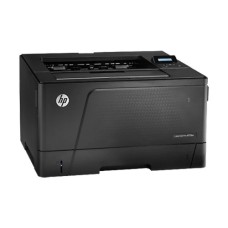
Reliable Ink Tank and Laser Printers for Low-Cost Printing at Home and Office
Tired of expensive cartridges and slow printing? The right printer saves money on every page. This page shows the latest printer price in Bangladesh in one place. Compare ink tank, laser and all-in-one printers by speed, cost per page and features. Then pick the printer that fits your home, school or office.
Every printer we sell is genuine and authentic. Our prices stay updated, and stock status is live. No guesswork.
Why Choose the Right Printer?
A cheap printer can become expensive if ink costs are high. The smartest choice balances purchase price, running cost and features.
Ink tank printers offer very low cost per page for color printing. Laser printers give fast, sharp black text for offices. All-in-one models add scanning and copying.
- Lower printing cost per page
- Faster output for busy offices
- Wi-Fi printing from phones and laptops
- Scan and copy with all-in-one models
Students, families, shops and offices across Bangladesh rely on printers every day.
Printer Brands We Offer
HP Printers
HP is one of the most trusted printer brands. Our range includes Smart Tank ink tank printers, LaserJet and Laser mono printers and DeskJet all-in-ones. Browse all HP printers.
Epson Printers
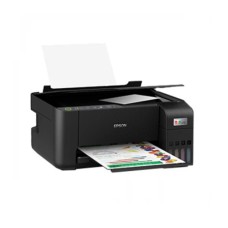
Epson EcoTank printers are famous for very low ink costs. The EcoTank L3250 offers Wi-Fi printing, scanning and copying. Explore Epson printers.
Zebra Printers
Zebra makes card and label printers for businesses. See our ID card printers for staff and student cards.
Types of Printers Explained
Ink Tank Printers
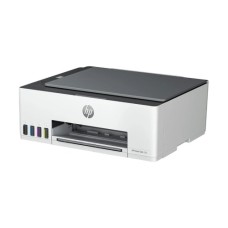
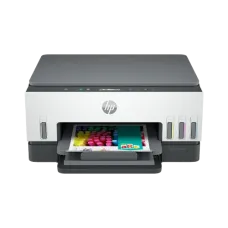
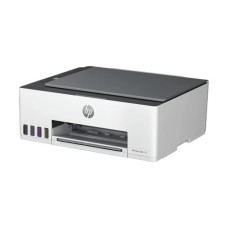
Ink tank printers use refillable bottles instead of cartridges. They print thousands of pages at very low cost. The HP Smart Tank 520, 580, 670, 750 and Epson L3250 are great examples.
Mono Laser Printers
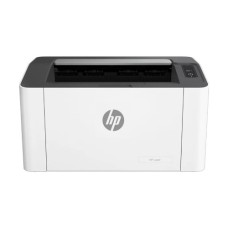
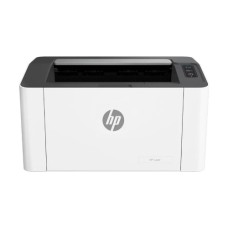
Laser printers use toner powder for sharp black text. They are fast, quiet and reliable for documents. The HP Laser 1008a and 1008w are compact office choices.
A3 Laser Printers
A3 printers handle larger paper sizes for reports, drawings and charts. The HP LaserJet Pro M706n is built for busy offices.
Inkjet All-in-One Printers
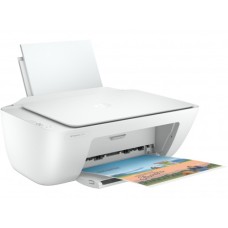
Inkjet all-in-ones like the HP DeskJet 2320 print, scan and copy at a low purchase price. They suit light home use.
Printer Price in Bangladesh by Type
Printer price in BD depends on type, speed, features and brand. Here is a simple guide.
| Type | Typical Models | Key Strength | Best For |
|---|
| Inkjet All-in-One | HP DeskJet 2320 | Low purchase price | Light home use |
| Ink Tank All-in-One | Epson L3250, HP Smart Tank 520, 580 | Very low cost per page | Students, families, small offices |
| Ink Tank with Duplex | HP Smart Tank 670, 750 | Auto double-sided printing | Busy home offices |
| Mono Laser | HP Laser 1008a, 1008w | Fast black text | Offices, shops |
| A3 Mono Laser | HP LaserJet Pro M706n | A3 paper support | Large offices, engineering |
Ink tank printers cost more upfront but save a lot on ink. Laser printers are best for high-volume black printing.
Ink Tank vs. Laser: Which Is Better?
| Feature | Ink Tank | Mono Laser |
|---|
| Color printing | Yes | No |
| Cost per page | Very low | Low for black |
| Speed | Moderate | Fast |
| Photo printing | Good | Not suitable |
| Best for | Mixed color and text | Documents only |
Choose an ink tank for color, photos and school projects. Choose laser for fast, everyday office documents.
Our Printer Models Explained
Epson EcoTank L3250
A Wi-Fi all-in-one ink tank printer. It prints, scans and copies with very low ink cost. Popular with students and families.
HP Smart Tank 520 and 580
Affordable ink tank all-in-ones for home and small office. The 580 adds wireless printing for phones and laptops.
HP Smart Tank 670 and 750
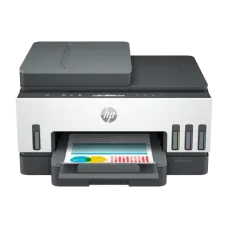
These models add automatic duplex printing and Wi-Fi. They suit busy home offices and small businesses.
HP Laser 1008a and 1008w
Compact mono laser printers for fast documents. The 1008w adds Wi-Fi for wireless office printing.
HP LaserJet Pro M706n
An A3 mono laser printer with network support. It handles large reports, charts and drawings.
HP DeskJet 2320
A low-cost inkjet all-in-one for occasional home printing, scanning and copying.
Understanding Cost Per Page
The real cost of a printer is not just its price. Ink and toner over time often cost more than the printer itself.
| Printer Type | Running Cost | Note |
|---|
| Cartridge inkjet | Higher | Cheap printer, costly cartridges |
| Ink tank | Very low | Bottles print thousands of pages |
| Mono laser | Low for black | Toner lasts long |
For regular printing, ink tank and laser printers save the most money over a year.
How to Choose the Right Printer
Monthly Print Volume
Light users print a few pages a week. Offices may print hundreds daily. Match the printer's duty cycle to your needs.
Color or Black Only
If you rarely print color, a mono laser saves money and time. For color and photos, choose an ink tank.
Connectivity
Wi-Fi printers let you print from phones and laptops without cables. Apps like HP Smart and Epson Smart Panel make it easy.
Duplex Printing
Automatic double-sided printing saves paper. It is useful for reports and school notes.
All-in-One Features
Scanning and copying in one device saves desk space and money.
Best Printer for Every User
| User Type | Recommended Choice | Why It Fits |
|---|
| Students | Epson L3250 or HP Smart Tank 520 | Cheap color printing |
| Home office | HP Smart Tank 670 | Wi-Fi and duplex |
| Small office documents | HP Laser 1008w | Fast Wi-Fi mono |
| Busy office | HP Smart Tank 750 | Duplex and higher volume |
| Large reports | HP LaserJet Pro M706n | A3 printing |
| Occasional use | HP DeskJet 2320 | Low upfront cost |
Wireless Printing Made Easy
Modern Wi-Fi printers let everyone at home or in the office print without cables. You can print from phones, tablets and laptops in seconds.
- HP Smart app for HP printers
- Epson Smart Panel app for Epson printers
- Print photos and PDFs directly from your phone
- Scan documents straight to your phone with all-in-ones
Connect the printer to the same Wi-Fi network as your devices. Then add it once in the app and start printing.
Printer Supplies and Accessories
Keep your laser printer running with genuine toner cartridges.
HP laser users can find matching HP toner here.
Inkjet users can browse original ink cartridges.
Refill ink tank printers with genuine ink bottles.
More Office Equipment
Need to digitize documents? Add a dedicated scanner.
High-volume copying is faster with a photocopier.
For posters and engineering drawings, see large format printers.
Shops and restaurants need fast receipt printing. Explore our POS printers.
Print directly from your laptop over Wi-Fi or USB.
Printers for Different Places
Homes and Students
Students print assignments, notes and project photos. An ink tank all-in-one handles all of this at very low cost.
Small Shops and Photocopy Stores
Shops print invoices, forms and photocopies daily. A durable laser or ink tank printer keeps costs predictable.
Corporate Offices
Offices need fast, networked printers for many users. Mono laser and A3 laser printers suit document-heavy work.
Schools and Coaching Centers
Question papers and handouts need fast, cheap black printing. Laser printers with high duty cycles are ideal.
Paper Tips for Better Printing
- Use 70 to 80 GSM paper for everyday printing
- Store paper in a sealed pack to avoid humidity
- Fan the paper stack before loading
- Use photo paper for high-quality photo prints
Damp paper is a common cause of jams in Bangladesh during the rainy season. Keep spare paper in a dry cabinet.
Printer Setup Tips
- Install drivers from the official brand website
- Connect to Wi-Fi using the brand app
- Fill ink tanks carefully with the correct colors
- Print a test page to check alignment
Keep the printer on a flat, dust-free surface. Use good quality paper to prevent jams and smudges.
Common Printer Problems and Quick Fixes
- Faded prints: clean print heads or replace toner
- Paper jams: use correct paper and remove torn pieces
- Wi-Fi not connecting: restart router and printer
- Streaks: run head cleaning from the printer menu
Print a page every week on ink tank printers. This keeps ink flowing and prevents clogged heads.
Printer Care Tips
- Use genuine ink and toner
- Cover the printer when not in use
- Keep paper dry in Bangladesh's humid weather
- Update firmware through the brand app
Why Buy Printers from Tech Valley?
We help you choose the right printer for your workload and budget. Our team explains running costs and features clearly.
- Genuine HP, Epson and Zebra printers
- Updated prices and live stock status
- Clear warranty information on every product
- Honest advice on ink and toner costs
Where to Buy Printer at Best Price In Bangladesh?
You can buy printers at the best price from Tech Valley. Browse ink tank, laser and all-in-one printers in one place. Compare features and choose your perfect printer.
Order online today and enjoy safe delivery across Bangladesh. Tell our team how much you print each month, and we will suggest the most cost-effective printer.
Frequently Asked Questions
What is the price of Printer in Bangladesh?
Printer prices in Bangladesh depend on type and features. Inkjet all-in-ones are the most affordable. Ink tank and A3 laser printers cost more.
What makes an Ink Tank Printer ideal for students?
Very low cost per page and color printing make it ideal. Students print assignments and projects cheaply.
Where can I buy a genuine HP printer in Bangladesh?
You can buy genuine HP printers from Tech Valley. We offer authentic products, clear warranty details and safe delivery across Bangladesh.
Ink tank or laser: which should I buy?
Ink tank for color and photos. Laser for fast black documents.
Can I print from my phone?
Yes, Wi-Fi printers support printing through brand apps.
What is duplex printing?
It prints on both sides of the paper automatically.
How often should I use an ink tank printer?
Print at least once a week to prevent clogging.
Why is my printer printing blank pages?
Check ink levels and run head cleaning.
Can I use third-party ink?
Genuine ink is recommended to protect the print head and warranty.
Which printer is best for an office?
A mono laser like the HP Laser 1008w suits most document needs.
Do printers come with warranty in BD?
Warranty depends on the brand and model. We show warranty details clearly on every product page.